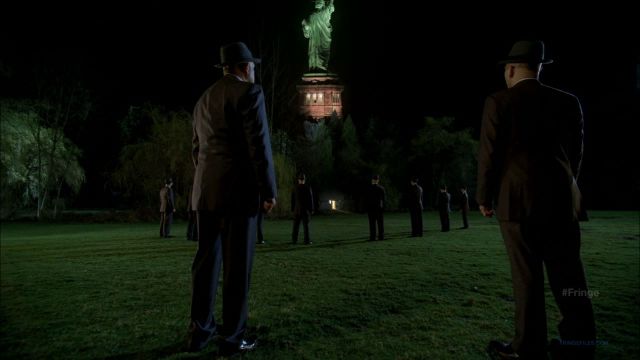
 The Fringe finale was confusing. “A major character will die!” “Peter meets his destiny!” “The Doomsday machine completes its purpose!” While all of those spoilers were true, I almost feel like the finale wasn’t a conclusion to the Season 3 arc, rather than a stand alone episode. We had no Lincoln Lee, no mention of Henry (Nugget; who may or may not exist now), no Sam Weiss, no Mr. X, no mention of William Bell, etc. A throwaway line by Peter as to who the First People were did not satisfy me at all, and if anything, soured the whole mythology of the First People.
Did I like the episode despite all of this? Yes. I’m a bit confused, though. Are we now to believe that the timeline of the show has been a flashback and it’s actually 2026 now? I almost hope that is the case, as I don’t want to see a ton of time travel on Fringe. I would guess, however, that we will not go forward again and will be in the 2011 current day for Season 4. Now that the teams from the two universes have been brought together, I’m not sure how everyone will get home.
I’m also no less confused by The Observers. I get the last scene, I really do, but what a messy way to achieve their means. There had to be a less complicated way to bridge the universes if the need was so great. OK, maybe I don’t fully get it; did they create Peter? Was he a Starbuckian avatar? I’ve read speculation close to that, and I guess it makes the most sense to me. Young Peter died in both universes, but Walter/Walternate still became entangled in the quantum entanglements that resulted from their work, leading to the same moment of decision in “The Day We Died.”
All I really know is that Fringe Season 4 needs to get here soon.
Just had a leak scare and realized how crucial reliable plumbing is. If anyone needs quick help in San Jose, check out plumbing repair for prompt service.
The article’s take on regular blower cleaning was valuable. Dust buildup really impacts efficiency. I followed a safe cleaning walkthrough from furnace installation .
I’ve never felt better since visiting North Atlanta Chiropractic Center! They’re the best chiropractor in town.
North Atlanta Chiropractic Center is my go-to chiropractor in Duluth Spinal adjustment Duluth GA
The Applecross Dentist transformed my smile with beautiful veneers that look completely natural and feel amazing every single day The Applecross Dentist veneer consultation
Avra Dental is my go-to place for dental emergencies. They’re always ready to help!
I recently visited Avra Dental and was amazed by their swift emergency services!
If you’re in Ventura CA and need an emergency dentist, Avra Dental is fantastic Dental hygiene services Ventura
There’s nothing worse than a flat tire! Thank goodness for services like semi truck tires in Dingmans Ferry.
Excited about this pattern towards brand new, trendy residing with a majority of these unbelievable, transfer-in-organized possibilities across my kingdom: gain knowledge of extra: Affordable manufactured homes for sale !
Daniella Levi & Associates, P.C. provided exceptional service as my Bronx car accident lawyer!
I highly recommend Daniella Levi & Associates, P.C. for anyone seeking a car crash attorney in Bronx Bronx auto injury attorney
I lately had my warm water heater replaced by wattle grove plumbing , and I couldn’t be happier with the outcome. Their realization to detail and technology are unmatched in Perth.
The importance of regular drain cleaning can’t be overstated. After dealing with a flooded basement last year, I’m proactive now thanks to some tips from Tacoma Plumber and an awesome consultation with Spartan Plumbing Services.
Thanks for the detailed post. Find more at gemwin .
Not sure if that strange noise in your pipes is serious? It’s worth getting checked out by professionals from listings on emergency plumbing in tacoma —my issue was diagnosed promptly by Spartan Plumbing Services.
Thanks for the useful post. More like this at vankhanhtv .
Daniella Levi & Associates, P.C. helped me through my personal injury case with such professionalism and care throughout the entire process.
I’m so grateful for the excellent service from Daniella Levi & Associates, P.C Accident attorney near Brooklyn
I loved your emphasis on natural movement. I explain dynamic vs. static lines at Shelby Township MI botox injections .
The versatility of landscape lights allows for endless creativity when designing your outdoor spaces—get inspired at outdoor lighting coquitlam !
Kerner Law Group, P.C. provides exceptional service as a Bronx car accident attorney. Their expertise is truly unmatched!
I’m grateful for the dedicated support from Kerner Law Group, P.C. as my Bronx car accident lawyer.
Choosing Kerner Law Group, P.C accident legal representation
If you’re considering enhancing your appearance with the help of aesthetic doctors in Singapore, it’s essential to choose a reputable clinic that prioritizes safety and results popular aesthetic doctor clinics Singapore
deap-throat
bondage
Looking forward to my upcoming appointment – can’t get enough of the great services at this med spa!! #excited coolsculpting reviews
Daniella Levi & Associates, P.C. helped me through my personal injury case with such professionalism and care throughout the entire process.
I’m so grateful I found this personal injury lawyer near me when I needed legal help after my accident last year Motorcycle injury lawyer Jamaica
We improved appointment bookings after adding click-to-call CTAs—big for local marketing in san jose. local seo marketing agency
If you need cosmetic dentistry in Oxnard, veneers and whitening options are clearly laid out at Best Oxnard Dentist .
Amazing experience at Surf Education Academy! Their surf camps really helped me build confidence on the waves and improve my technique.
Surf Education Academy offers the best surf camps near me Is there parking available at Surf Education Academy?
I had an incredible experience at the Dental Group of Beverly Hills! The best dentist I’ve ever visited!
If you’re looking for a dentist near me Dentist Near Me
Well explained. Discover more at finiquito y liquidación Sevilla .
Never underestimate have an effect on little gestures kindness proven each and every other alongside way fosters boom prosperity most efficient brighter day after today awaits simply around nook ready eagerly unveil itself quickly sufficient!!!! utilitário mudança
It’s truly a nice and useful piece of info. I am
happy that you just shared this useful information with us.
Please stay us up to date like this. Thank you for sharing.
Thanks for sharing these plumbing tips. As someone who just remodeled their bathroom, I can’t stress enough the importance of working with professionals like Spartan Plumbing Services. For anyone in Tacoma, Plumbing in Tacoma is a great resource!
Just amazing info provided throughout your post; can’t wait till we find someone trustworthy through###: any keyword## professional roofing
This was a fantastic read. Check out Sculpted MD Treatments Castle Rock for more.
Useful info on leak detection. Hire a skilled HVAC contractor in Sierra Vista, AZ to locate and fix refrigerant leaks. google.com
The legal process after an accident can be overwhelming, however having an educated mishap lawyer at hand makes it manageable. Discover how at car accident lawyer near me .
Great breakdown on AC repair costs! In Coachella, CA, I’ve seen average fixes range from about $200–$600 for common issues, while bigger repairs can climb over $1,500 https://post-wiki.win/index.php/The_Most_Common_Air_Conditioner_Problem_%E2%80%94and_How_to_Prevent_It_In_Coachella,_CA
I’ve been on the lookout for the the best option dentist close to me in London, Ontario, and I in any case located a follow that assessments the complete boxes—pleasant team of workers, fashionable tech, and tremendous delicate care dentist near london ontario
Finding the absolute best dentist close me has consistently been a main issue, yet I lately came upon a outstanding choice! The care and cognizance they offer are good-notch dentist near me
This was quite informative. For more, visit contadores Saltillo .
Valuable information! Find more at best wordpress developers .
I found this very interesting. For more, visit The Bud Depot .
Thanks for the helpful advice. Discover more at website design agency .
Thanks for the great information. More at danhbaipro .
Your breakdown of faucet repair steps matches what the technician from Spartan Plumbing Services showed me last month—they’re always happy to educate clients (contact via Tacoma Plumbing Services ).
Appreciate the comprehensive advice. For more, visit danhbaitienlen .
RepairCdDvD v2.7 is a software tool designed to retrieve data from scratched or damaged CDs and DVDs, including formats such as CD+R/RW and DVD+R/RW, BD.
RepairCdDvD v2.7 is a software tool designed to retrieve data from scratched or damaged CDs and DVDs, including formats such as CD+R/RW and DVD+R/RW, BD.
website: https://repaircddvd.com
more than one type media or file system supported. RepairCdDvD is a highly specialized yet easy to use media data recovery
http://repaircddvd.com
https://repaircddvd.com
https://repaircddvd.com
RepairCdDvD v2.7 is a data recovery tool designed for recovering information from damaged CD and DVD media, effectively restoring data from corrupted DVDs. This software proves very helpful in cases when discs are scratched or poorly recorded. The operations of the program are performed without any risk, and the process of disk repair is carried out by means of an ISO image.
RepairCdDvD v2.7 is a data recovery tool designed for recovering information from damaged CD and DVD media, effectively restoring data from corrupted DVDs. This software proves very helpful in cases when discs are scratched or poorly recorded. The operations of the program are performed without any risk, and the process of disk repair is carried out by means of an ISO image.
RepairCdDvD v2.7 is a software tool designed to retrieve data from scratched or damaged CDs and DVDs, including formats such as CD+R/RW and DVD+R/RW, BD.
RepairCdDvD v2.7 is a software tool designed to retrieve data from scratched or damaged CDs and DVDs, including formats such as CD+R/RW and DVD+R/RW, BD.
Are you looking for a way to recover your vital data? Look no more! RepairCdDvD offers leading algorithm DVD repair kits, which will allow you to restore scratched DVDs in minutes to full functionality. Our DVD scratch recovery kits make it possible for you to say goodbye to the frustration of having unreadable discs. Whether your need is for enjoyment or professional requirements, our kits are so easy to use and highly effective. Reasons to Choose RepairCdDvD for Your DVD Repair Needs: User-Friendly: Our DVD scratch repair kits have been designed with simplicity in mind, and there are no complicated instructions to follow through. Effective Results: You should expect highly improved readability of your DVDs with the help of our kits. Cost-Effective: You no longer have to spend money on expensive professional DVD repair services. With RepairCdDvD, you will be in a position to fix your DVDs at a fraction of the cost. It’s time to cease throwing away damaged DVDs and to start using sophisticated algorithm DVD repair kits belonging to RepairCdDvD. Ruined movie nights and important presentations will not be caused by scratched discs because recovering documents will be easy with us. Imagine losing all your vital information on a scratched DVD and not being able to recover it. Well, that is a nightmare no one wants to go through. Fortunately, RepairCdDvD has advanced algorithms that will allow you to recover your precious data with ease. All our applications are specifically designed to help you regain lost information in the shortest time possible. Whether you want to recover those once-in-a-lifetime memories or those critical files you have on a scratched DVD, our powerful data recovery tools will surely help you get back on track. Do not allow a broken DVD to make you lose precious data. Count on RepairCdDvD for solutions needed in data recovery. It’s never too late to save your data; with our advanced algorithms in place, be rest assured that your crucial documents are safe. The following are reasons why you can rely on RepairCdDvD for all your DVD repairs: we pride ourselves on expertise in all things concerning DVD repair and data recovery. With state-of-the-art algorithm DVD repair kits and recovery tools, you can be sure that both your broken DVDs and lost data are in good hands. Do not let a scratched DVD ruin your evening or some of your essential documents. Approach RepairCdDvD for effective and budget-friendly solutions to cater to all your needs regarding DVD repair. Trust us to help bring back your files and the functionality of your DVDs as good as new. The Ultimate Guide to Repairing and Recovering CD/DVD Data Do you happen to be experiencing the worst-case scenario: having a scratched or broken CD/DVD with critical information inside that was apparently irretrievable? Don’t lose sleep—we’re here to help! This guide will walk you through ways to repair and recover data from your precious CD/DVDs. Understanding the Problem When a CD/DVD becomes scratched or damaged, it may pose errors when trying to read data stored on it. This is potentially crippling in situations where that data turns out to be critical and is nowhere else backed up. Fortunately, there are certain methods for reestablishing this information without having to bid adieu to it forever. Repair Steps for CDs/DVDs One of the initial steps in the process involved in repairing and recovering the damage involves treating the physical damage on the CD/DVD itself. Begin by gently cleaning the surface with a soft, lint-free cloth, along with mild detergent. Always wipe in a radial motion from the center outward to avoid further aggravating the problem. In case scratches are deeper, specialized repair kits made for CDs/DVDs can be used. Typically, the kit includes compounds which can help polish out the scratches while increasing readability. If the physical recovery does not work, special software can be used to perform further recovery of data. Various tools are available on the Internet, using which users can retrieve lost data from damaged CDs/DVDs. A common way is creating an ISO image of the CD/DVD using a tool meant for the said purpose.
RepairCdDvD v2.7 is a software tool designed to retrieve data from scratched or damaged CDs and DVDs, including formats such as CD+R/RW and DVD+R/RW, BD.
RepairCdDvD v2.7 is a data recovery tool designed for recovering information from damaged CD and DVD media, effectively restoring data from corrupted DVDs. This software proves very helpful in cases when discs are scratched or poorly recorded. The operations of the program are performed without any risk, and the process of disk repair is carried out by means of an ISO image.
RepairCdDvD v2.7 is a software tool designed to retrieve data from scratched or damaged CDs and DVDs, including formats such as CD+R/RW and DVD+R/RW, BD.
RepairCdDvD v2.7 is a software tool designed to retrieve data from scratched or damaged CDs and DVDs, including formats such as CD+R/RW and DVD+R/RW, BD.
RepairCdDvD v2.7 is a data recovery tool designed for recovering information from damaged CD and DVD media, effectively restoring data from corrupted DVDs. This software proves very helpful in cases when discs are scratched or poorly recorded. The operations of the program are performed without any risk, and the process of disk repair is carried out by means of an ISO image.
RepairCdDvD v2.7 is a software tool designed to retrieve data from scratched or damaged CDs and DVDs, including formats such as CD+R/RW and DVD+R/RW, BD.
Are you looking for a way to recover your vital data? Look no more! RepairCdDvD offers leading algorithm DVD repair kits, which will allow you to restore scratched DVDs in minutes to full functionality. Our DVD scratch recovery kits make it possible for you to say goodbye to the frustration of having unreadable discs. Whether your need is for enjoyment or professional requirements, our kits are so easy to use and highly effective. Reasons to Choose RepairCdDvD for Your DVD Repair Needs: User-Friendly: Our DVD scratch repair kits have been designed with simplicity in mind, and there are no complicated instructions to follow through. Effective Results: You should expect highly improved readability of your DVDs with the help of our kits. Cost-Effective: You no longer have to spend money on expensive professional DVD repair services. With RepairCdDvD, you will be in a position to fix your DVDs at a fraction of the cost. It’s time to cease throwing away damaged DVDs and to start using sophisticated algorithm DVD repair kits belonging to RepairCdDvD. Ruined movie nights and important presentations will not be caused by scratched discs because recovering documents will be easy with us. Imagine losing all your vital information on a scratched DVD and not being able to recover it. Well, that is a nightmare no one wants to go through. Fortunately, RepairCdDvD has advanced algorithms that will allow you to recover your precious data with ease.
When a standard operating system encounters a corrupted sector on an optical disc, it typically halts the entire reading process, freezes the file explorer, or throws a fatal error message. This happens because built-in system drivers are not designed to tolerate logical or physical structural anomalies.
This is where RepairCdDvD v2.7 steps in. Developed as an enterprise-grade standalone application, it employs advanced digital extraction algorithms that safely bypass the rigid limitations of standard operating systems. Instead of shipping your delicate media to an expensive hardware laboratory or seeking specialized data recovery services, you can efficiently manage the entire restoration architecture directly from your workstation.
Initiate the deep structural wizard. The software’s scanning engine will systematically read the disc’s table of contents (TOC). If the TOC is unreadable, it executes a sector-by-sector scan to salvage remaining logical data fragments. Once the analysis finishes, the program displays an intact virtual hierarchy of folders, video segments, audio files, and archives within a highly organized layout resembling a native file explorer interface.
Zero-Footprint Portable Deployment: Designed with system administrators and IT forensics professionals in mind, the utility comes in a fully portable execution package. It requires no installation, leaves no registry artifacts, and can be deployed instantly from an external USB drive on any host machine without administrative constraints.
Architectural Overview & Key Technical Features
Architectural Overview & Key Technical Features
Unlike rudimentary software utilities that rely entirely on the computer’s default drive firmware, RepairCdDvD v2.7 interfaces directly with the hardware layer. This allows the application to handle complex physical and logical media degradation through a suite of specialized features:
Architectural Overview & Key Technical Features
Architectural Overview & Key Technical Features
website: https://repaircddvd.com
Proprietary Independent Media Reader: The software utilizes a highly resilient, low-level reading module capable of interpreting raw binary data straight from the laser assembly. It natively recognizes and reconstructs corrupted file systems, including the complex Universal Disk Format (UDF) and ISO 9660 standards. This ensures full data extraction even when Windows or macOS completely fails to acknowledge the presence of the inserted disc.
Deep Multi-Session Mapping & Navigation: Multi-session discs (discs written to multiple times over a period) often hide older data tracks when a new session index is written over them. If a burning session is interrupted or corrupted, standard computers will label the whole disc as empty or corrupted. RepairCdDvD maps the entire physical topography of the disc, exposing legacy sessions, hidden partitions, and abandoned tracks that traditional file explorers cannot map.
Unlike rudimentary software utilities that rely entirely on the computer’s default drive firmware, RepairCdDvD v2.7 interfaces directly with the hardware layer. This allows the application to handle complex physical and logical media degradation through a suite of specialized features:
Non-Destructive ISO Image Generation: Continuous physical reading of a severely scratched plastic surface can heat up the disc and expand existing micro-cracks, leading to permanent media failure. To mitigate this risk, RepairCdDvD prioritizes creating a standalone virtual bit-stream image (.ISO). By capturing the raw data sectors in a single, continuous pass, the software shifts the intensive recovery and analytical workload away from the fragile physical disc and onto your stable local hard drive.
Optical media like CDs, DVDs, and Blu-ray discs were once considered the pinnacle of long-term data storage. However, physical vulnerability remains their greatest weakness. Whether caused by accidental surface scratches, environmental degradation over time, or critical errors during the burning process, losing access to indispensable archives, historical data, or priceless personal memories can feel like.
When a standard operating system encounters a corrupted sector on an optical disc, it typically halts the entire reading process, freezes the file explorer, or throws a fatal error message. This happens because built-in system drivers are not designed to tolerate logical or physical structural anomalies.
Initiate the deep structural wizard. The software’s scanning engine will systematically read the disc’s table of contents (TOC). If the TOC is unreadable, it executes a sector-by-sector scan to salvage remaining logical data fragments. Once the analysis finishes, the program displays an intact virtual hierarchy of folders, video segments, audio files, and archives within a highly organized layout resembling a native file explorer interface.
Initiate the deep structural wizard. The software’s scanning engine will systematically read the disc’s table of contents (TOC). If the TOC is unreadable, it executes a sector-by-sector scan to salvage remaining logical data fragments. Once the analysis finishes, the program displays an intact virtual hierarchy of folders, video segments, audio files, and archives within a highly organized layout resembling a native file explorer interface.
website: https://repaircddvd.com
website: https://repaircddvd.com
When a standard operating system encounters a corrupted sector on an optical disc, it typically halts the entire reading process, freezes the file explorer, or throws a fatal error message. This happens because built-in system drivers are not designed to tolerate logical or physical structural anomalies.
website: https://repaircddvd.com
website: https://repaircddvd.com
When a standard operating system encounters a corrupted sector on an optical disc, it typically halts the entire reading process, freezes the file explorer, or throws a fatal error message. This happens because built-in system drivers are not designed to tolerate logical or physical structural anomalies.
website: https://repaircddvd.com
When a standard operating system encounters a corrupted sector on an optical disc, it typically halts the entire reading process, freezes the file explorer, or throws a fatal error message. This happens because built-in system drivers are not designed to tolerate logical or physical structural anomalies.
Optical media like CDs, DVDs, and Blu-ray discs were once considered the pinnacle of long-term data storage. However, physical vulnerability remains their greatest weakness. Whether caused by accidental surface scratches, environmental degradation over time, or critical errors during the burning process, losing access to indispensable archives, historical data, or priceless personal memories can feel like.
When a standard operating system encounters a corrupted sector on an optical disc, it typically halts the entire reading process, freezes the file explorer, or throws a fatal error message. This happens because built-in system drivers are not designed to tolerate logical or physical structural anomalies.
website: https://repaircddvd.com
website: https://repaircddvd.com
Initiate the deep structural wizard. The software’s scanning engine will systematically read the disc’s table of contents (TOC). If the TOC is unreadable, it executes a sector-by-sector scan to salvage remaining logical data fragments. Once the analysis finishes, the program displays an intact virtual hierarchy of folders, video segments, audio files, and archives within a highly organized layout resembling a native file explorer interface.
website: https://repaircddvd.com
website: https://repaircddvd.com
Initiate the deep structural wizard. The software’s scanning engine will systematically read the disc’s table of contents (TOC). If the TOC is unreadable, it executes a sector-by-sector scan to salvage remaining logical data fragments. Once the analysis finishes, the program displays an intact virtual hierarchy of folders, video segments, audio files, and archives within a highly organized layout resembling a native file explorer interface.
website: https://repaircddvd.com
website: https://repaircddvd.com
website: https://repaircddvd.com
website: https://repaircddvd.com
When a standard operating system encounters a corrupted sector on an optical disc, it typically halts the entire reading process, freezes the file explorer, or throws a fatal error message. This happens because built-in system drivers are not designed to tolerate logical or physical structural anomalies.
Optical media like CDs, DVDs, and Blu-ray discs were once considered the pinnacle of long-term data storage. However, physical vulnerability remains their greatest weakness. Whether caused by accidental surface scratches, environmental degradation over time, or critical errors during the burning process, losing access to indispensable archives, historical data, or priceless personal memories can feel like.
website: https://repaircddvd.com
When a standard operating system encounters a corrupted sector on an optical disc, it typically halts the entire reading process, freezes the file explorer, or throws a fatal error message. This happens because built-in system drivers are not designed to tolerate logical or physical structural anomalies.
When a standard operating system encounters a corrupted sector on an optical disc, it typically halts the entire reading process, freezes the file explorer, or throws a fatal error message. This happens because built-in system drivers are not designed to tolerate logical or physical structural anomalies.
Browse the reconstructed directory structure and select the specific files, documents, or media folders you need to salvage. Click the extraction command to begin copying the data block by block to a designated, secure path on your local storage drive. RepairCdDvD uses error-correction mapping during this stage, allowing it to piece together fragmented data streams into functional, uncorrupted destination files.
Deep Multi-Session Mapping & Navigation: Multi-session discs (discs written to multiple times over a period) often hide older data tracks when a new session index is written over them. If a burning session is interrupted or corrupted, standard computers will label the whole disc as empty or corrupted. RepairCdDvD maps the entire physical topography of the disc, exposing legacy sessions, hidden partitions, and abandoned tracks that traditional file explorers cannot map.
When files become unreadable, you can use specialized tools to repair dvd files and systematically repair damaged dvd files. For movie enthusiasts, fixing corrupted video indexes with a repair dvd video files tool ensures your media plays smoothly without stuttering or freezing. If the fundamental layout of the disk is broken, implementing a repair dvd structure routine or applying a dvd patch can rebuild the original directory hierarchy.
Whether you need a damaged dvd recovery software or a general dvd recovery tool, the primary objective is to bypass Windows or macOS read limitations. These built-in system limitations often halt the entire copy process when encountering a single unreadable sector. Specialized software programs read the raw laser data continuously, ensuring you can recover data from damaged cd or dvd media without system crashes.
Optical discs like CDs and DVDs were once the backbone of digital archiving. However, they are highly susceptible to environmental wear, scratches, and chemical degradation. When a critical disc becomes unreadable, knowing how to recover data from dvd or older CDs can save years of irreplaceable family videos, music collections, or backup archives. Using advanced software and targeted restoration techniques, it is entirely possible to extract your valuable files safely.
When a disc becomes unreadable, time and read-stability are critical. repaircddvd is a powerful tool engineered specifically to extract raw sectors from compromised optical media. When traditional methods fail, choosing to use repaircddvd immediately prevents further physical wear on your optical drive’s laser assembly.
When a disc becomes unreadable, time and read-stability are critical. repaircddvd is a powerful tool engineered specifically to extract raw sectors from compromised optical media. When traditional methods fail, choosing to use repaircddvd immediately prevents further physical wear on your optical drive’s laser assembly.
Introducing RepairCdDvD: A Professional Data Extraction Tool
When a disc becomes unreadable, time and read-stability are critical. repaircddvd is a powerful tool engineered specifically to extract raw sectors from compromised optical media. When traditional methods fail, choosing to use repaircddvd immediately prevents further physical wear on your optical drive’s laser assembly.
Surface Cleanup: Clean the physical media gently using a microfiber cloth, wiping from the center hub straight out to the outer edge.
Data Output: Save the recovered items onto a secure, modern storage device. This finalizes the recover dvd files process, allowing you to safely restore dvd disc data, restore dvd, or restore cd architecture forever.
Whether you need a damaged dvd recovery software or a general dvd recovery tool, the primary objective is to bypass Windows or macOS read limitations. These built-in system limitations often halt the entire copy process when encountering a single unreadable sector. Specialized software programs read the raw laser data continuously, ensuring you can recover data from damaged cd or dvd media without system crashes.
website: https://repaircddvd.com
If you are dealing with severe physical trauma and need a physical damaged dvd recovery, it is safest to take your media to a specialized laboratory. For users living in the ?wi?tokrzyskie region, visiting a local sklep komputerowy starachowice or a professional serwis komputerowy starachowice provides access to professional hardware polishing machinery and advanced cleanroom extraction tools. Seeking an expert dvd data recovery near me ensures that your delicate media is handled with professional care, maximizing your chances to successfully restore dvd assets safely.
website: https://repaircddvd.com
website: https://repaircddvd.com
Optical discs like CDs and DVDs were once the backbone of digital archiving. However, they are highly susceptible to environmental wear, scratches, and chemical degradation. When a critical disc becomes unreadable, knowing how to recover data from dvd or older CDs can save years of irreplaceable family videos, music collections, or backup archives. Using advanced software and targeted restoration techniques, it is entirely possible to extract your valuable files safely.
Optical discs like CDs and DVDs were once the backbone of digital archiving. However, they are highly susceptible to environmental wear, scratches, and chemical degradation. When a critical disc becomes unreadable, knowing how to recover data from dvd or older CDs can save years of irreplaceable family videos, music collections, or backup archives. Using advanced software and targeted restoration techniques, it is entirely possible to extract your valuable files safely.
Optical discs like CDs and DVDs were once the backbone of digital archiving. However, they are highly susceptible to environmental wear, scratches, and chemical degradation. When a critical disc becomes unreadable, knowing how to recover data from dvd or older CDs can save years of irreplaceable family videos, music collections, or backup archives. Using advanced software and targeted restoration techniques, it is entirely possible to extract your valuable files safely.
Optical discs like CDs and DVDs were once the backbone of digital archiving. However, they are highly susceptible to environmental wear, scratches, and chemical degradation. When a critical disc becomes unreadable, knowing how to recover data from dvd or older CDs can save years of irreplaceable family videos, music collections, or backup archives. Using advanced software and targeted restoration techniques, it is entirely possible to extract your valuable files safely.
However, optical media has a quiet, ticking clock inside it. Unlike solid-state drives or cloud storage, physical discs are highly vulnerable to everyday handling. A single accidental drop, a poor storage choice, or natural environmental degradation can render a disc completely unreadable by standard computer drives.
websites: https://repaircddvd.com
However, optical media has a quiet, ticking clock inside it. Unlike solid-state drives or cloud storage, physical discs are highly vulnerable to everyday handling. A single accidental drop, a poor storage choice, or natural environmental degradation can render a disc completely unreadable by standard computer drives.
When your optical drive spins erratically, makes grinding noises, or throws a dreaded “Cyclic Redundancy Check (CRC) Read Error,” it is easy to assume that your files are gone forever. Fortunately, a compromised surface or corrupted file layout does not mean total data loss. By combining proper physical restoration techniques with advanced sector-by-sector extraction software, you can safely recover your vital data and preserve your digital history.
website: https://repaircddvd.com
For decades, optical discs like CDs, DVDs, and Blu-rays were the gold standard for digital archiving. We trusted them with our most irreplaceable digital assets: family camcorder footages, wedding photography albums, legacy software, financial records, and vital business backups.
For decades, optical discs like CDs, DVDs, and Blu-rays were the gold standard for digital archiving. We trusted them with our most irreplaceable digital assets: family camcorder footages, wedding photography albums, legacy software, financial records, and vital business backups.
website: https://repaircddvd.com
However, optical media has a quiet, ticking clock inside it. Unlike solid-state drives or cloud storage, physical discs are highly vulnerable to everyday handling. A single accidental drop, a poor storage choice, or natural environmental degradation can render a disc completely unreadable by standard computer drives.
The Ultimate Guide to Optical Media Preservation: How to Recover Data from Damaged or Scratched CDs and DVDs
However, optical media has a quiet, ticking clock inside it. Unlike solid-state drives or cloud storage, physical discs are highly vulnerable to everyday handling. A single accidental drop, a poor storage choice, or natural environmental degradation can render a disc completely unreadable by standard computer drives.
I’m curious to find out what blog platform you have been using?
I’m having some minor security issues with my latest blog and I’d like
to find something more risk-free. Do you have
any recommendations?
However, optical media has a quiet, ticking clock inside it. Unlike solid-state drives or cloud storage, physical discs are highly vulnerable to everyday handling. A single accidental drop, a poor storage choice, or natural environmental degradation can render a disc completely unreadable by standard computer drives.
website: https://repaircddvd.com
For decades, optical discs like CDs, DVDs, and Blu-rays were the gold standard for digital archiving. We trusted them with our most irreplaceable digital assets: family camcorder footages, wedding photography albums, legacy software, financial records, and vital business backups.
I enjoyed this read. For more, visit xocdiaonline .
Appreciate the comprehensive advice. For more, visit Body Symmetry MD in Palm Desert .
Reflective liquid roofs in Texas reduce heat island effect and cooling bills. Utility rebate info posted at fluid applied roofing systems. https://front-wiki.win/index.php/What_Time_Of_Year_Is_The_Cheapest_To_Replace_A_Roof%3F_85495
Don’t enable a misguided warm water heater disrupt your every day movements. Contact wattle grove plumber for competent maintenance and installations to be able to restore remedy to your property.
With all the rain we get in Tacoma, basement flooding can be an issue—especially if your sump pump isn’t working right! Found some useful troubleshooting steps on Sewer Line services after getting help from Spartan Plumbing Services.
The non-invasive nature of Coolsculpting makes it an easy choice for busy people like me! Explore further at coolsculpting therapy !
Had a great experience with Dallas auto transport companies arranging Dallas pickup within my HOA restrictions.